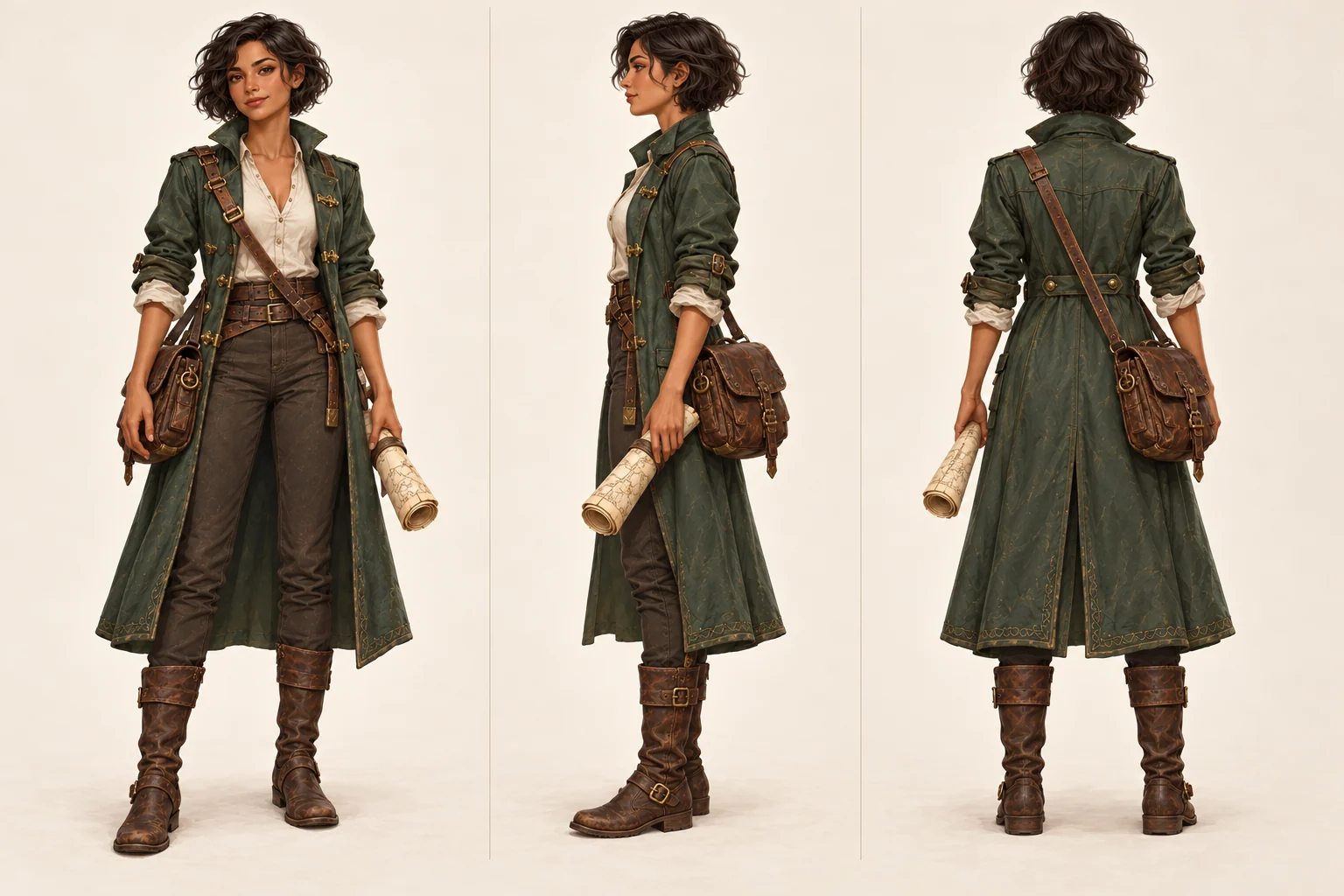
What is Character Design Sheet?
A character design sheet is a visual reference that can request multiple angles, expressions, poses, and design details. Use a brief or reference image to guide a concept, then check which panels and character details were preserved.
Multi-View Generation
Request front, side, back, or three-quarter views. Check the output because an image may omit or alter a requested view.
Expression Variations
Request facial expressions such as happy, sad, angry, surprised, worried, confident, or neutral, then check whether each face remains recognizable.
Reference Upload
Upload existing character art, an avatar, or a portrait as visual guidance. Face, clothing, and proportions may still vary.
Downloadable Output
Review the generated image in the workbench output area and download it if it fits your illustration, game concept, or OC reference workflow.
Why Use Our Character Design Sheet Generator
A useful character sheet makes the requested panels easy to compare. The prompt asks for identity and layout constraints, but faces, proportions, and panel order can vary and need review.
AI-Powered Turnarounds
Request several character views from one brief or reference image. Confirm the views are present before using the sheet.
Style Preservation
Describe the style, colors, hairstyle, and outfit you want across the sheet. Generated details may still differ between panels.
Expression Library
Generate a compact set of emotions for acting, animation, comic panels, profile art, or game dialogue portraits.
Pose References
Add action poses and dynamic stances to make the design sheet more useful than a static turnaround alone.
Anime & Realistic Styles
Use the same workflow for anime, cartoon, semi-realistic, realistic, and stylized game character sheets.
Fast Iteration
Start with a preset, adjust the prompt, generate a result, and continue refining inside the workbench.
How to Create a Character Design Sheet
Use this workflow when you have a character image, avatar, OC concept, or rough prompt and want to request a visual reference sheet.
1. Upload Your Character
Upload a clear image of your character. Front-facing portraits and full-body shots usually give the model the most useful identity, outfit, and hairstyle information.
2. Choose Output Type
Use the preset for a turnaround character sheet, expression sheet, or pose reference sheet depending on what you need to create.
3. Add Optional Details
Describe specific expressions, poses, clothing details, accessories, palette notes, or layout requirements for the final character design sheet.
4. Generate & Download
Click Generate to create the image. Review the requested views and details in the workbench before downloading or editing further.
What should the prompt include?
For the best character design sheet, describe the role, age range, silhouette, hairstyle, outfit, palette, rendering style, and the exact panels you want. Add consistency constraints such as same face, same outfit, same proportions, same color palette, clean sheet layout, and no watermark.
Character Design Sheet Layout Checklist
Plan a clear reading order before generating: choose a main view, list the angles or expressions you need, and note which face, hairstyle, colors, outfit, and accessories should stay recognizable. Use a simple background and check panel spacing, text artifacts, missing views, and proportion changes. A generated sheet may need another prompt or manual correction before it works as a reference.
Character Design Sheet Quality Notes
Before using a character sheet as a reference, compare the face, hairstyle, outfit colors, silhouette, and body scale across the requested panels. Note any missing view, changed accessory, or text artifact. A focused prompt or manual correction may help, though a later generation can still vary.