Decide first
Page type
Decide whether the page is a single page, spread, webtoon, portrait, or 4-koma strip.
Linework
Ink lines, hatching, and screentones define the manga feel.
Pacing
Action pages need speed lines, emotion pages need expression, and webtoons need vertical flow.
Constraints
Put no watermark and no extra text at the end.
5 patterns
These five patterns come directly from the existing manga page modes.
Classic B&W Manga
Authentic G-pen ink lines with detailed halftone screentones.
Prompt
Authentic black and white manga page, sharp G-pen ink lines, detailed screentone shading (halftone dot patterns), dynamic action lines, expressive character panel, professional weekly shonen jump manga style, pure monoch...
Best for
Single pages, monochrome serialization, and publishing-style pages.
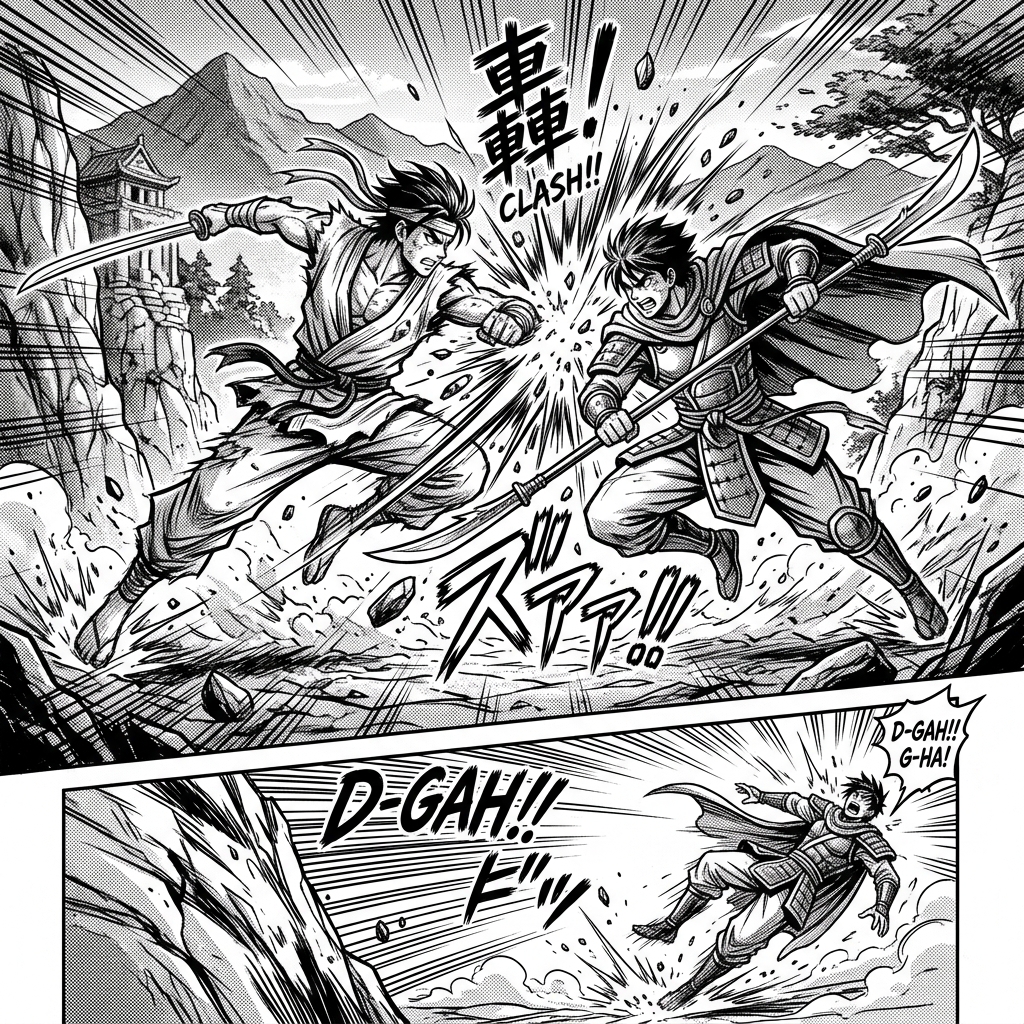
Action Double Spread
High-impact battle manga spread with explosive motion lines.
Prompt
High-impact action manga double page spread, explosive dynamic motion blur, shattered ground debris, intense camera perspective, heavy ink hatching and screentone gradients, dramatic martial arts clash, master manga draf...
Best for
Battle spreads, impact shots, and high-tension confrontations.
Color Webtoon Panel
Modern vertical full-color manhwa webtoon scene with glow effects.
Prompt
Vertical full-color webtoon comic panel, clean modern manhwa art style, vibrant gradient lighting, cinematic composition, polished digital coloring with glowing magical energy effects, high detail.
Best for
Color webtoons, vertical reading, and glow effects.
Screentone Portrait
Close-up manga character portrait with delicate screentone textures.
Prompt
Close-up manga character portrait with intricate screentone textures, delicate hair ink strokes, emotional eyes with fine hatched highlights, classic shojo manga aesthetic, clean monochrome background.
Best for
Character close-ups, emotional shots, and screentone texture.
4-Koma Comedy Strip
4-panel manga comic strip layout with comedic reactions.
Prompt
4-panel manga comic strip layout (4-koma), clear black border dividers, expressive comedic anime character reactions, speech bubble placeholders, clean lighthearted manga aesthetic, pure black and white lineart.
Best for
4-koma strips, comedy beats, and light pacing.
Structure
Create a manga page in [page type].
Composition: [single page, spread, webtoon, portrait, or 4-koma].
Linework: [G-pen ink, hatching, clean borders, screentones].
Scene: [fight, conversation, quiet emotion, reaction, or reveal].
Constraints: no watermark, no extra text.
Lock the page type first, then describe linework, scene, and pacing.
Rules
- Decide whether the page is single-page, spread, webtoon, portrait, or 4-koma first.
- Plan screentones, speed lines, and speech space before polishing the art.
- Action pages need pacing, portrait pages need emotion, and webtoons need vertical flow.
- Put no watermark and no extra text at the end.